










No WiFi Signal with Wireless Card? Quick Fixes

You’ve installed a wireless network card on your computer, but it just can’t find any WiFi signals—restarting several times doesn’t help, disrupting your entertainment and work? We’re sharing practical solutions to troubleshoot step by step and quickly fix this connectivity issue: Check Physical Connections and Switches For external USB wireless network cards, ensure a secure […]
Currently Using WiFi 6—Is It Necessary to Upgrade to WiFi 7?

Many WiFi6 users have some doubts. Although the new generation WiFi 7 technology has gradually become popular, the WiFi 6 they use is still mainstream. Is it necessary to upgrade? If so, what are the most obvious differences? Those struggling can review these analyses: Wi-Fi 7’s Core Advancements Wi-Fi 7 boasts a theoretical peak speed […]
How to Check How Many Devices Are Connected to Your WiFi? Here’s a Detailed Guide!

A user asked: “I’ve noticed a noticeable decrease in my home network speed lately, with frequent lags, but I haven’t added any more devices to my network. I suspect freeloaders are squeezing my speed. Where can I check which devices are connected to my WiFi?” Detailed Instructions: Check via the router’s management interface First, look […]
Entered The IP Address But Still Can’t Access The Router’s Backend Page?
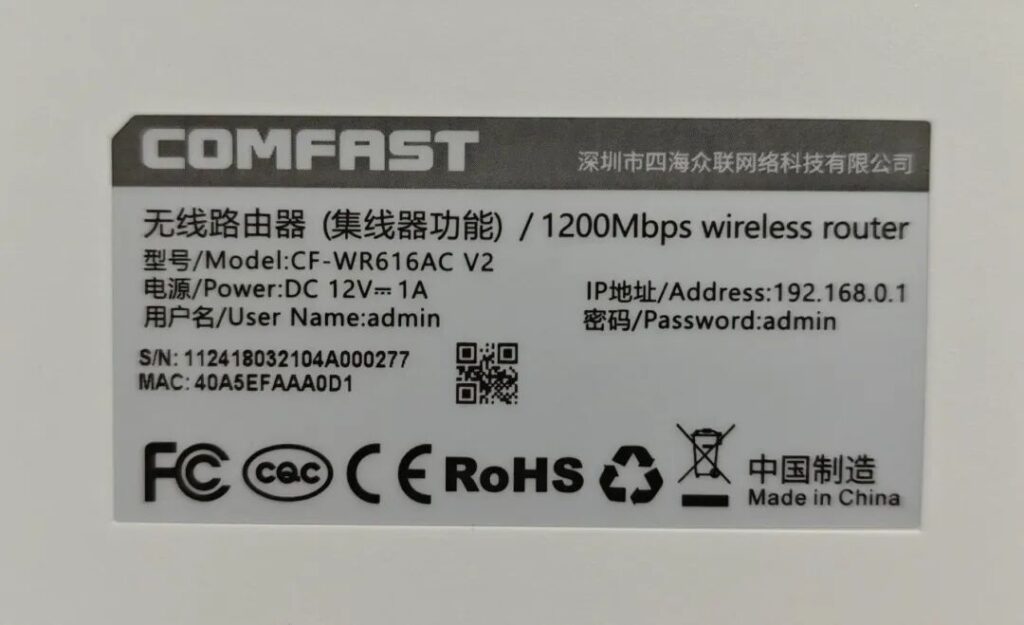
Entered The IP Address But Still Can’t Access The Router’s Backend Page? Someone asked: I want to log in to the router’s backend to modify WiFi settings, but I can’t open the router’s management page even after entering the IP address. What’s the problem? Today, we’ll share some practical solutions. Follow these steps to troubleshoot: […]